How AI Barcode Decoding Works: Reading Reflective, Damaged & Distorted Codes
A counter-intuitive fact: most barcodes that "will not scan" are not a decoding-algorithm problem - the information was already lost one step earlier, at binarisation. This article explains where the classical pipeline breaks, which stages deep learning intervenes at, and what AI decoding costs you. Real G53-AI data included.

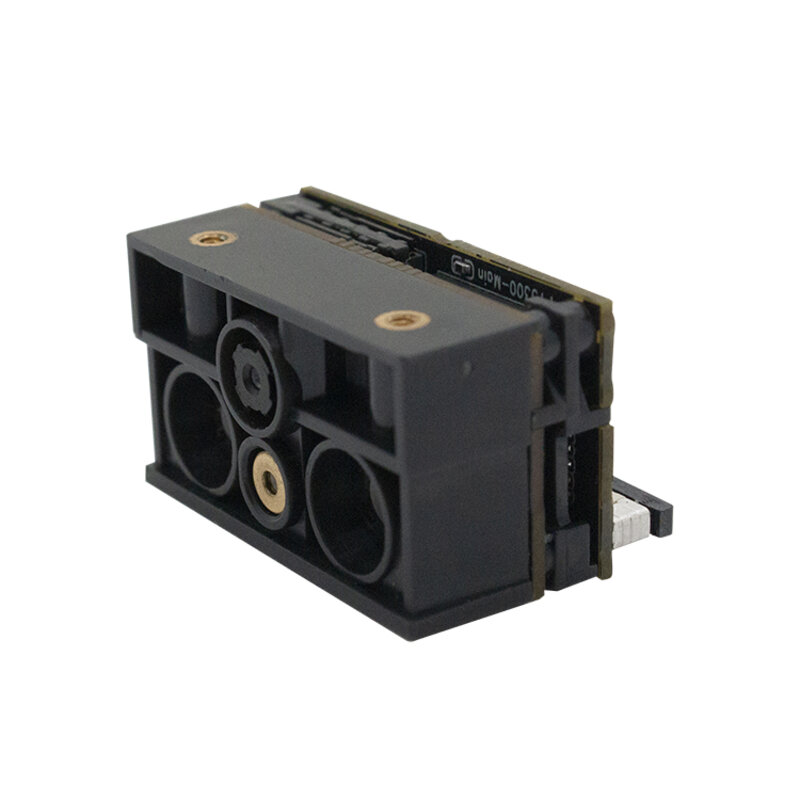
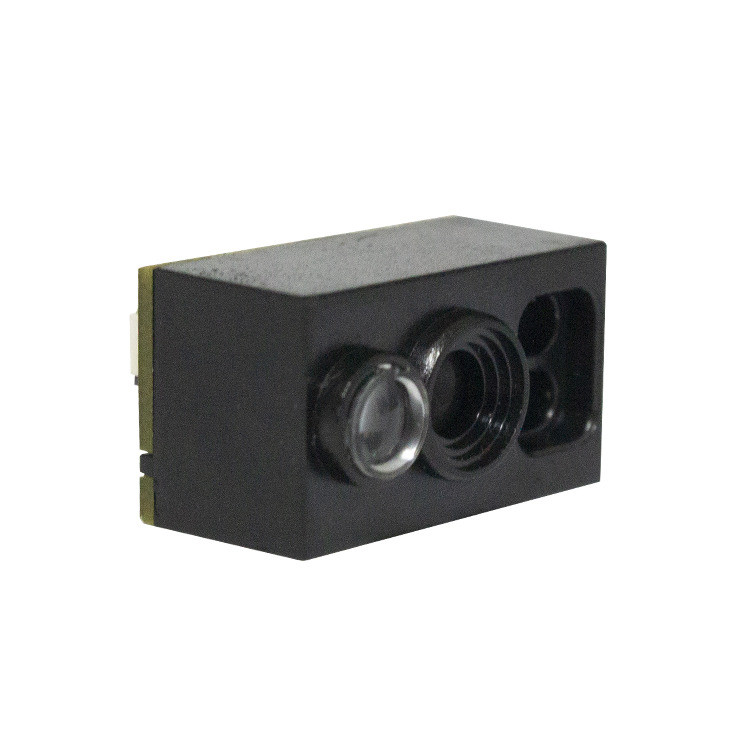
G53-AI AI smart scan engine - 1280x800 global-shutter CMOS with a custom AI chip
1. The classical pipeline: it breaks at step two
The standard chain is image capture → greyscale → binarisation → bar/space edge detection → code localisation → error-correcting decode. Binarisation is the step that thresholds the greyscale image into black bars and white spaces - and the whole pipeline stands on it.
It only works if the image contains clearly separated grey peaks and valleys. Once metal reflection blows out part of the frame, an oil-stained label hides pixels, or contrast is only a few percent (exactly the case with dot-peened DPM codes), the threshold has nothing to find, bars and spaces are misclassified, bar widths become wrong, and no amount of precise localisation or powerful error correction can help - it is all operating on corrupted input. That is why many field problems are not fixed by fitting a higher-resolution module: the information was already gone at binarisation.
2. Four kinds of bad code, and where each one fails
| Defect type | Physical cause | Failure stage |
|---|---|---|
| Reflection / blow-out | Metal or laminated labels reflecting light into the lens | Highlights flattened; bars and spaces shifted |
| Damage / scratches | Oil, abrasion, local scuffing | Pixel data missing; bars lost |
| Wrinkles / curves / steep tilt | Creased labels, cylindrical surfaces, angled mounting | Geometric distortion; unequal bar widths |
| Low contrast (DPM dot-peen) | Laser marking or dot peening relying on surface relief shadows | No separable peaks; thresholding impossible |
3. Where AI intervenes: four stages
(1) Image restoration. Deep networks suppress glare and recover sharpness, contrast and detail, turning a bad frame into something close to a good one before decoding. G53-AI's multi-spectral illumination and smart AE belong to this capture-side stage.
(2) Code detection without binarisation. Classical localisation hunts for bar/space edges; a detection network instead regresses the four corners of the code region directly, so tilt, perspective distortion and partial occlusion are all still localisable.
(3) Feature reconstruction. When bars are wiped out by damage, scratches or glare, the model rebuilds the missing code pattern from context - the single most important step that turns a "cannot read" into a "read".
(4) Pre-correction repair. 2D codes carry Reed-Solomon redundancy, but it has a ceiling. AI's job is to push the error rate back under that ceiling so previously unrecoverable codes become recoverable again.
There is also an engineering layer: multi-source, multi-spectral illumination. Different wavelengths give different contrast on different materials and background colours (warm red often beats white light on metal DPM marks). G53-AI drives two external light channels and remembers the best configuration, effectively giving the algorithm several viewpoints instead of one gamble on a single exposure.
4. Cost and hard limits (read this before the benefits)
Compute is the price. Deep-learning inference costs far more than classical algorithms, so AI modules need dedicated silicon - G53-AI uses a custom AI chip.
Latency counts against your line cycle. The model must be optimised for inference, or the read rate improves while the takt time suffers.
AI is not magic. If a code is fully occluded, or the missing proportion exceeds what reconstruction plus correction can bridge, no algorithm will read it. At that point the fix is the marking process, the label position or the lighting - not another algorithm.
Models have a training domain. They degrade on extreme conditions they have never seen, so always validate with the customer's own samples rather than a standard test code - anyone can read a standard code; bad codes are where the difference shows.
5. Classical decoding vs AI decoding
| Aspect | Classical | AI |
|---|---|---|
| Reflection / blow-out | Bars shift in highlights | Glare suppressed, then decoded |
| Damage / scratches | Fails once data is missing | Reconstructs from context |
| Wrinkles / steep tilt | Depends on edge detection | Corner regression + rectification |
| Low-contrast DPM | No usable threshold | Multi-spectral + enhancement |
| Compute | Low | High; needs dedicated silicon |
| When to choose | Clean codes, cost-sensitive | Many bad codes, downtime costly |
6. G53-AI specifications
| Item | Value |
|---|---|
| Image sensor | 1280x800 CMOS (global shutter) |
| Illumination / aiming | Warm white + warm red LED; laser aiming cross |
| Read precision | 1D ≥3.3 mil, 2D ≥5 mil |
| Depth of field | Code39 (5 mil) 75-250 mm; QR (10 mil) 75-230 mm |
| Contrast | ≥15% |
| Scan angles | Pitch ±60°, skew ±60°, rotation 360° |
| Field of view | 48° horizontal, 28° vertical |
| Multi-code | Up to 5 codes in a single frame |
| Interfaces | Virtual COM / HID-KBW / HID-POS |
| Power | 3.3 V, typically <180 mA |
| Size / weight | 30(D) x 15.5(W) x 13 max(H) mm / 6.2 g |
| Ambient light | 0-100,000 lux |
| Operating / storage temp. | -20 to +50 °C / -40 to +60 °C |
| Operating humidity | 5-95% (non-condensing) |
7. 12-PIN FPC pinout
| Pin | Signal | Notes |
|---|---|---|
| 1 / 11 | TEST1 / TEST2 | Internal test; leave open |
| 2 | VCC | +3.3 V input |
| 3 / 8 | GND | Ground |
| 4 / 5 | UART RXD / TXD | TTL-232 serial |
| 6 / 7 | USB D- / D+ | USB differential pair |
| 9 | BEEP | Passive buzzer output |
| 10 | DLED | Indicator LED control |
| 12 | TRIG | Scan trigger input |
The 12-pin standard footprint is about replacement cost: if a line is already wired to this pinout, swapping the module needs no new bracket or harness. G53-AI includes its own aiming system, and the ScanKit utility lets you inspect the live image and tune exposure and illumination.
Related Products
Related Articles
Struggling with unreadable codes?
Send us your part material, the marking method (laser, dot peen or printed) and a photo of the failure - we will test your actual samples on the G53-AI and report the read rate.
📞 Contact Xinlong IoT